for expert insights on the most pressing topics financial professionals are facing today.
Learn MoreDelivering consistent, personalized guidance across multiple clients and offices is one of the biggest challenges advisors face today—something highlighted as a top opportunity area in the eMoney Study: Value of Financial Planning, November 2025.
Whether you’re setting firm-wide standards or managing day-to-day workflows, the challenge is the same: how do you scale advice without sacrificing quality or client experience?
Presentation View in Decision Center makes this possible. With reusable templates tailored to client goals, you can save hours of preparation, keep conversations focused, and deliver a consistent experience every time.
Reusable templates give your team a consistent foundation for planning conversations while still allowing room for personalization. Using templates helps you save hours per client plan, all while improving consistency across advisor and support teams.
To support different workflows, Presentation View includes three flexible template types:
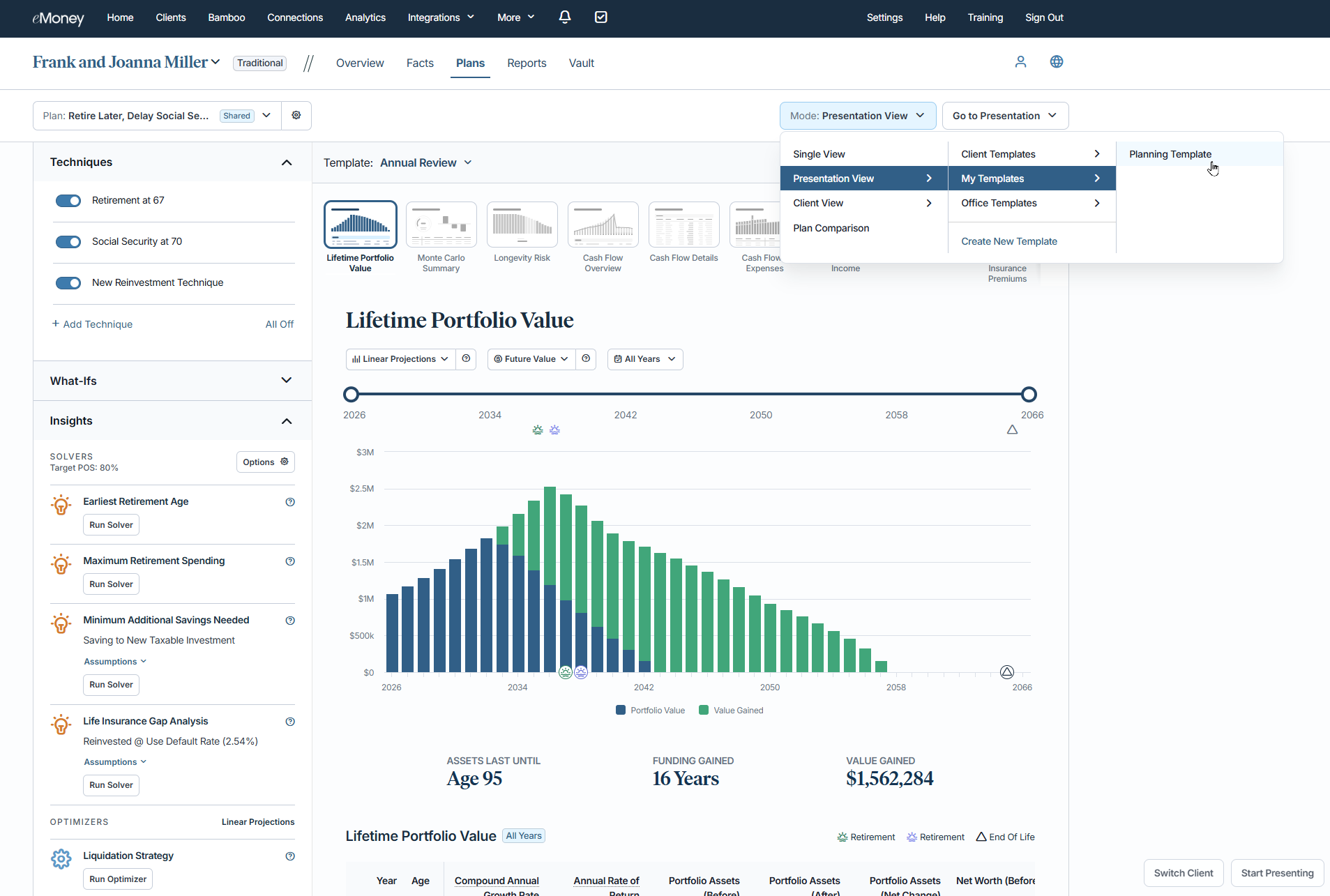
Templates can be built using many of the reports you already rely on, including:
This flexibility ensures your firm can maintain high standards across every conversation while giving teams the tools they need to work more efficiently.
Want to see how it works in practice? Our Decision Center training provides a quick, guided introduction to creating and using templates effectively, so you can start scaling advice immediately.
In under 10 minutes, you’ll learn how to:
See how to use Presentation View now →
Templates in Presentation View are more than a convenience. They’re the core of delivering scalable, repeatable, and personalized advice across your firm. They help your teams:
Whether you’re ready to build your first template or deepen your understanding, these resources help you bring Presentation View into your workflow, fast: